

Important Package updated with some slight changes on 2nd Jan 2024. Links updated.
In a production environment, there would be some workflows that are not expecting any changes or even workflows that should not be changed at any cost for the system integrity. Or there could be a code freeze period and you just want to double-check that no one is touching anything.
But there are many people who are accessing those environments and you have this fear that someone will mistakenly (if not intentionally 😈) modify something.

What will you do?
If you wish you would hide that EDIT button, this article can be of help for you. Remember the Orchestrator Library workflows that no one can edit and you feel good about it. In this article, we will try to do something similar.

Procedure
- Download the package in.co.cloudblogger.lockWorkflow.1.0.1.package from my GitHub.
- Import the package and edit the workflow Lock or Unlock a Workflow to set your Orchestrator URL in the variables.

- Click Run on this workflow.

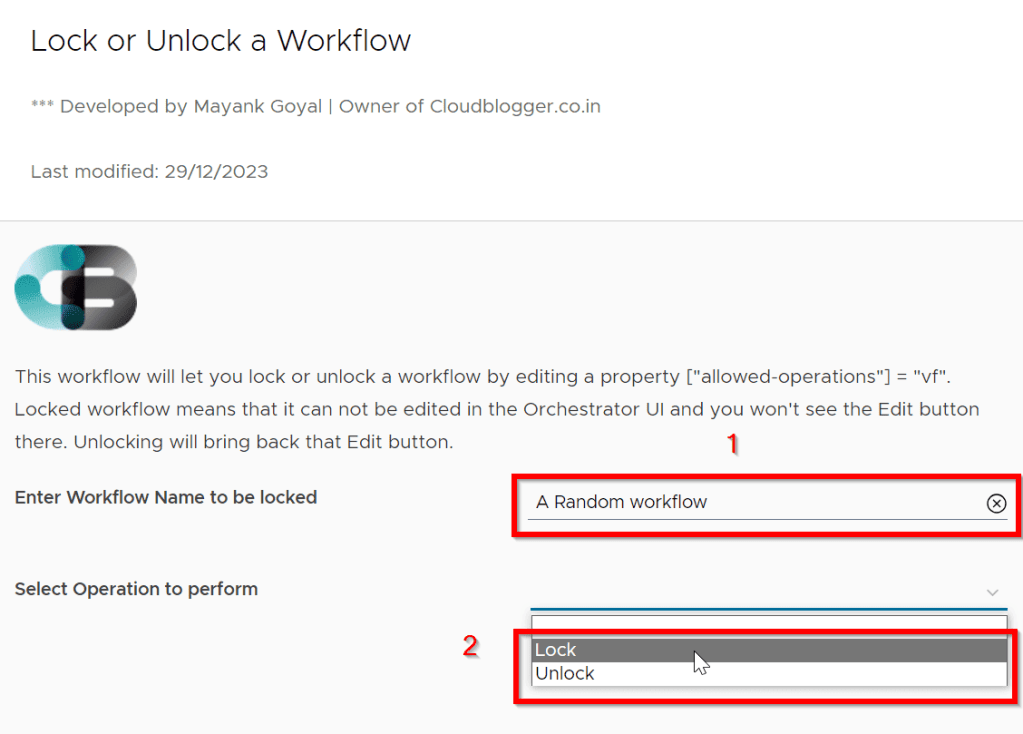
- Enter the name of the workflow that you want to lock and select the operation as Lock.
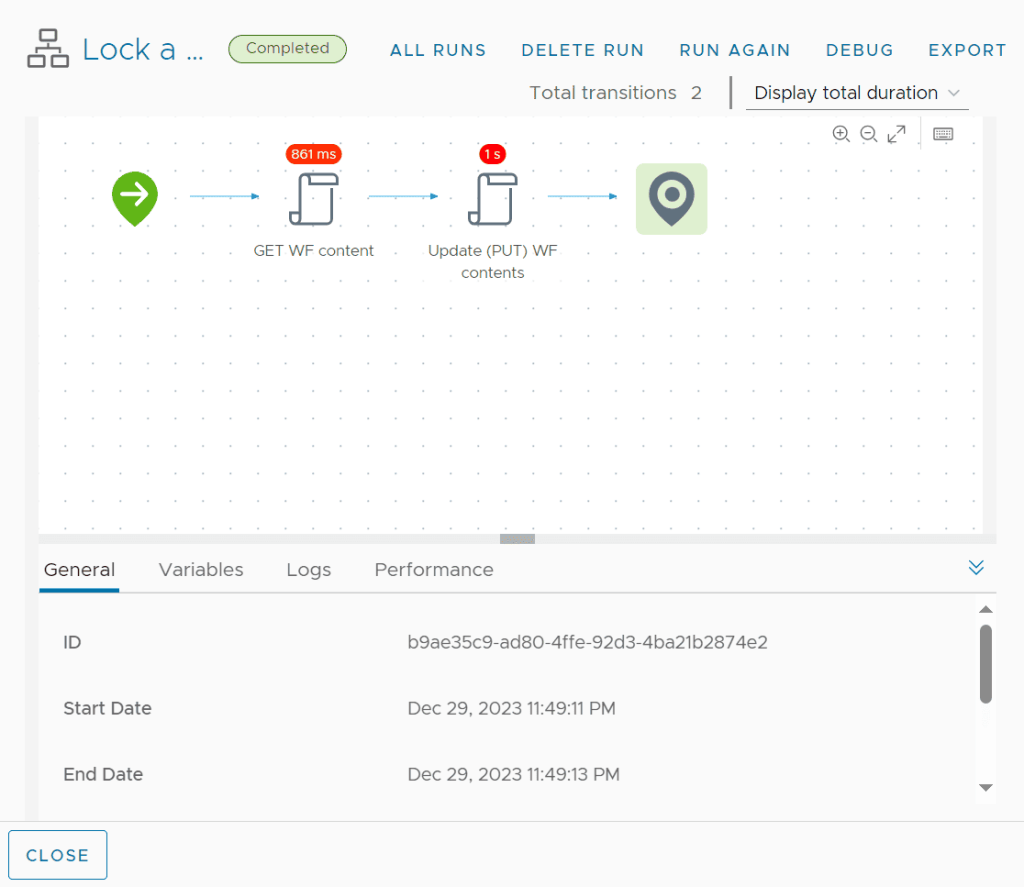
- If everything goes right, this workflow will be successfully completed.
- Go to the workflow that you selected and notice the Edit button is not there.

This means that now this workflow cannot be edited by anyone and will be secured from any unwanted changes.
Script
From script’s perspective, in the second item of the Lock or Unlock a Workflow workflow, we are modifying the workflow content from https://"+vroUrl+"/vco/api/workflows/"+workflowObj.id+"/content and adding a property "allowed-operations" = "vf" in case of locking and removing it in case of unlocking.
var method = "PUT";
var uri = "https://"+vroUrl+"/vco/api/workflows/"+workflowObj.id+"/content"
var body = responseBody;
var parsedBody = JSON.parse(body);
System.log("Selected Operation: "+operation);
if(operation == "Lock"){
    if(parsedBody["allowed-operations"] == "vf") throw "Workflow is already locked. Can't Proceed further!";
    else parsedBody["allowed-operations"] = "vf";
    System.log("Locking workflow...");
} else if (operation == "Unlock"){
    //if(parsedBody["allowed-operations"]) delete parsedBody["allowed-operations"];
    parsedBody["allowed-operations"] = "vef";
    System.log("Unlocking workflow...");
}
var requestContentType = "application/json"

var restHost = RESTHostManager.createHost("dynamicRequest");
restHost.operationTimeout = 600;
httpRestHost = RESTHostManager.createTransientHostFrom(restHost);
httpRestHost.url = uri;

var request = httpRestHost.createRequest(method, uri, JSON.stringify(parsedBody));
System.log("Fetching Bearer token...");
var actionResult = System.getModule("com.actions.custom").getToken();
if (actionResult.token) System.log("Token received");
var newAuth = RESTAuthenticationManager.createAuthentication ("OAuth 2.0", [actionResult.token, "Authorization header"]);
httpRestHost.authentication = newAuth;


// Set Content Type
request.contentType = requestContentType;

// Execute REST Request
System.log("Executing REST request...");
var response = request.execute();
System.log("PUT operation completed");

// Output Handling
statusCodeAttribute = response.statusCode;
System.log("REST Response Status Code: " + statusCodeAttribute);
This script also includes way to authenticate REST Host using a Bearer token (OAuth 2.0).
Discover more from Cloud Blogger
Subscribe to get the latest posts sent to your email.














Thanks, just what I needed…