

Just a very quick post on how to approve all the pending approvals in your Aria\VCF Automation Service broker Inbox.
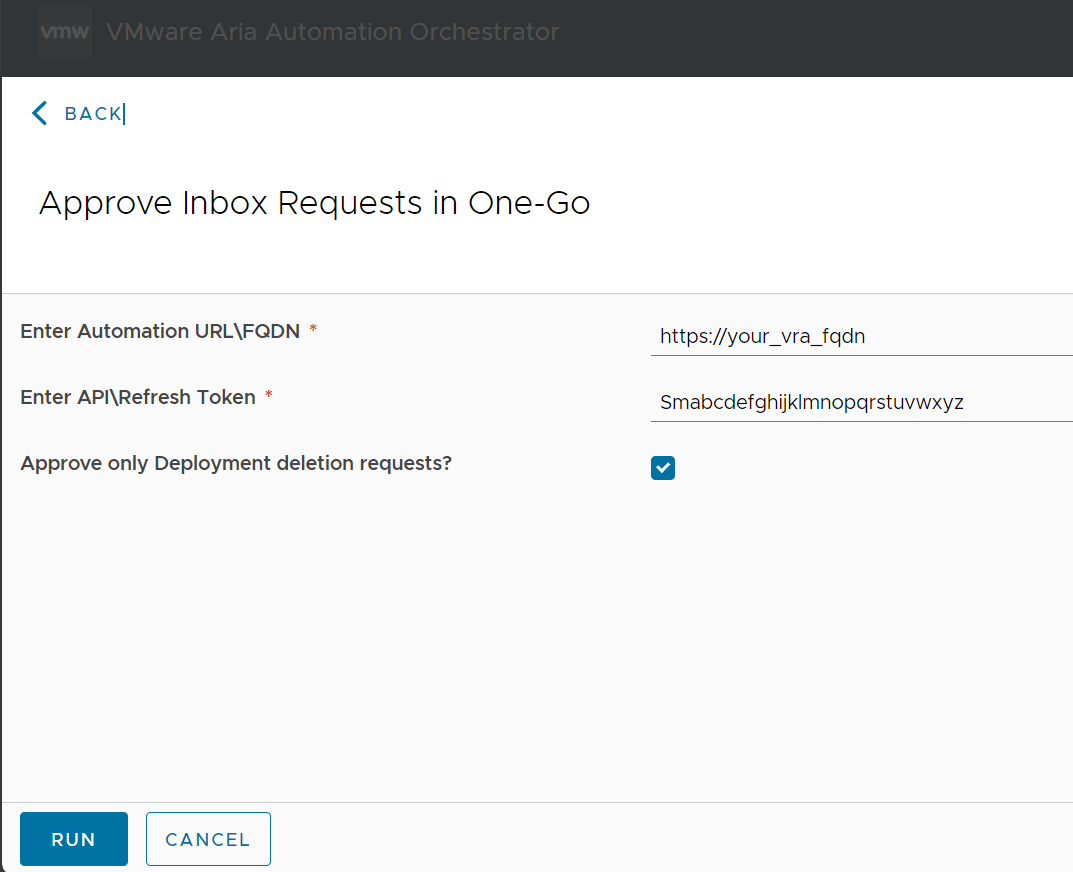
Download this package which contains an orchestrator workflow to get you started. The process is fairly simple. Just make a REST call to get all the pending approvals and then make calls to approve them in a loop.
Scripts
Get all pending approvals
JavaScript
const opMethod = "GET";

var pendingApprovals = [];

status = "PENDING";
var opUrl = "/approval/api/approvals?requestState="+status+"&apiVersion=2020-11-01";

var opResponse;
var responseJson;
var content;
var count;
var page = 0
var headers = new Properties();
headers.put("Authorization", "Bearer " + cspAuthToken);

do {
	opResponse = System.getModule("com.vmware.pso.rest").executeTransientRESTOperation(
	    cspBaseUrl,null,null,opMethod,opUrl,null,headers,null,null);

	if (opResponse.statusCode >= 400) {
	    throw "Failed to get cloud accounts (" + opResponse.statusCode + " Error). Details: " + opResponse.responseString;
	}

	//System.debug(opResponse.responseString);
	responseJson = JSON.parse(opResponse.responseString);
	var
	count = responseJson.numberOfElements;
	//System.error(responseJson.pageable.pageNumber)
	var totalPages = responseJson.totalPages
	content = responseJson.content;
	pendingApprovals = pendingApprovals.concat(content);
	page++
	//System.error(pendingApprovals.length)
	opUrl = "/approval/api/approvals?requestState="+status+"&page="+page+"&apiVersion=2020-11-01";
	//opUrl += "&offset="+pendingApprovals.length// + pendingApprovals.length;
	//System.debug("Count so far: " + pendingApprovals.length);
} while (page <= totalPages)

return pendingApprovals;
Approve a pending approval at highest level
JavaScript
const opMethod = "POST";
const opUrl = "/approval/api/approvals/action";
const contentType = "application/json"


var headers = new Properties();
headers.put("Authorization", "Bearer " + cspAuthToken);

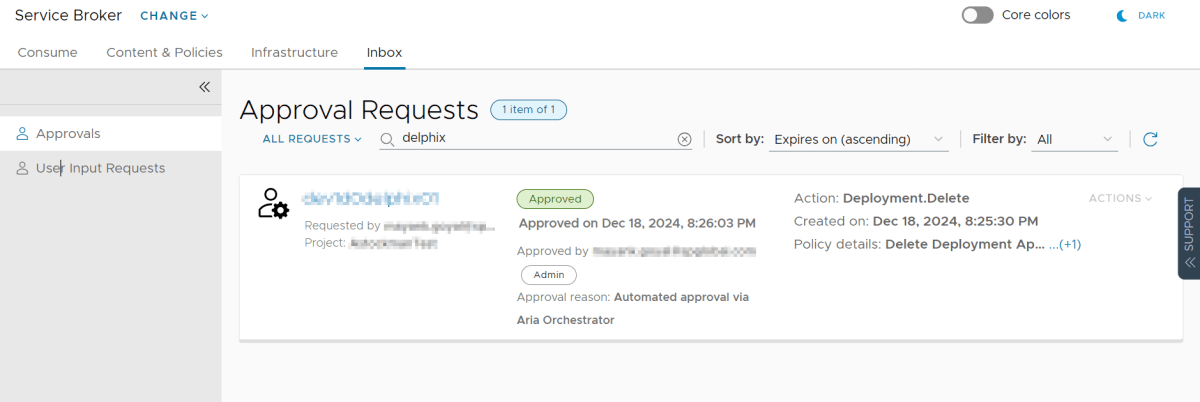
var contentJson = {"itemId":approvalId,"action":"APPROVE","comment":"Automated approval via Aria Orchestrator","fullApproval":true,"currentLevelApproval":false}
var contentJson = JSON.stringify(contentJson)
System.log(contentJson);
var opResponse  = System.getModule("com.vmware.pso.rest").executeTransientRESTOperation(
    cspBaseUrl,null,null,opMethod,opUrl,null,headers,contentType,contentJson);

if (opResponse.statusCode >= 400) {
    throw "Failed to patch deployment (" + opResponse.statusCode + " Error). Details: " + opResponse.responseString;
}
return opResponse.responseString;
In Action

Discover more from Cloud Blogger
Subscribe to get the latest posts sent to your email.













