Today, I have learned that there exists a method to decode Bearer Tokens, as these tokens fall under the category of JSON Web Tokens. Given that these types of tokens are extensively utilized in VMware environments, where my primary experience lies, acquiring additional insights into their underlying mechanisms may enhance your understanding, particularly when developing applications or troubleshooting issues.
Bearer tokens are typically opaque strings, meaning they are not intended to have any meaning to clients using them. They can be a short string of hexadecimal characters or structured tokens such as JSON Web Tokens (JWT). The latter will be our focus today.
Process
It’s dead simple.
Copy a Bearer token and paste it on https://jwt.io website. That’s it.
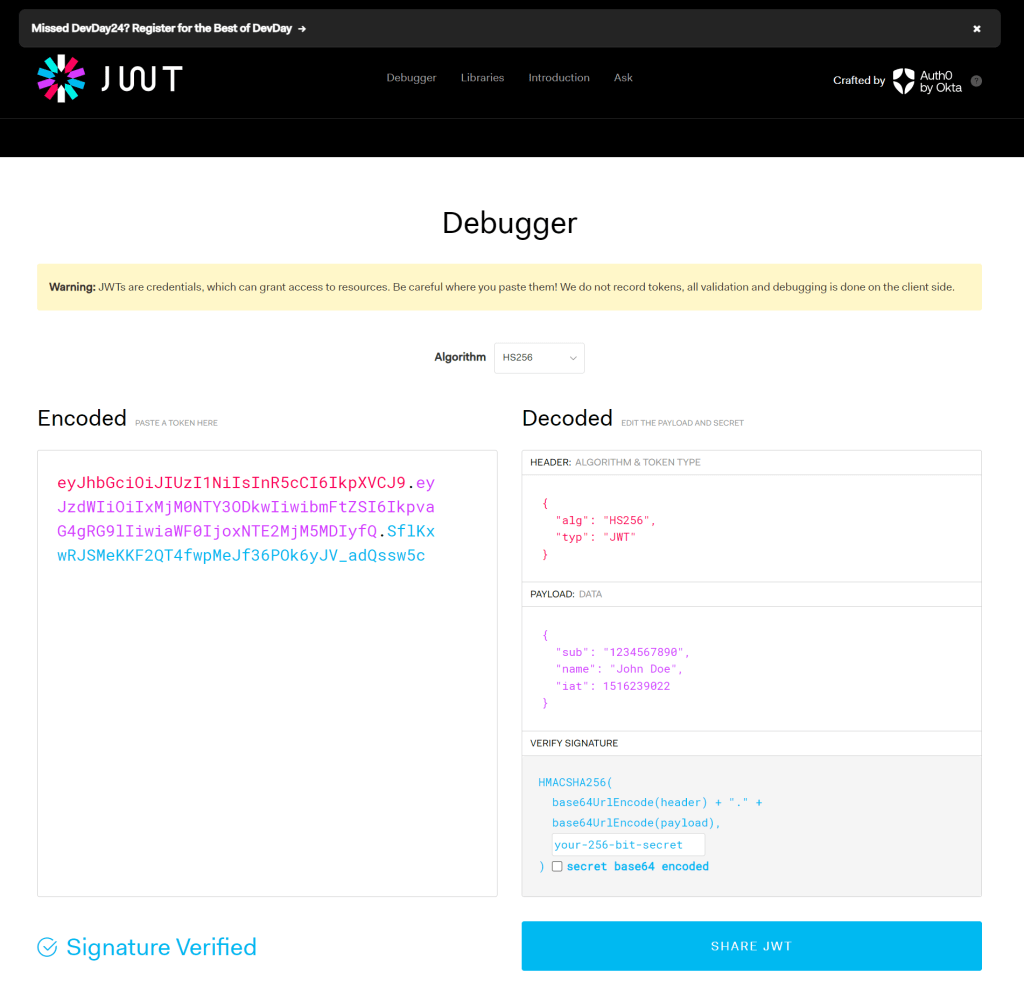
The decoded body has 3 parts: header, payload and signature. However, most useful to look at would be the payload.
Sample Token
eyJhbGciOiJIUzI1NiIsInR5cCI6IkpXVCJ9.eyJzdWIiOiIxMjM0NTY3ODkwIiwibmFtZSI6IkpvaG4gRG9lIiwiaWF0IjoxNTE2MjM5MDIyfQ.SflKxwRJSMeKKF2QT4fwpMeJf36POk6yJV_adQssw5cDecoded Payload
{
  "sub": "1234567890",
  "name": "John Doe",
  "iat": 1516239022
}
The three parts are encoded separately using Base64url Encoding RFC 4648, and concatenated using periods to produce the JWT:
const token = base64urlEncoding(header) + '.' + base64urlEncoding(payload) + '.' + base64urlEncoding(signature)How we consume bearer tokens
When a client seeks to access a protected route or resource, the user agent is required to send the JSON Web Token (JWT), typically within the Authorization HTTP header utilizing the Bearer schema. The content of the header may appear as follows:
Authorization: Bearer eyJh...<snip>...yu5CSpyHIDiscover more from Cloud Blogger
Subscribe to get the latest posts sent to your email.