

Starting from Orchestrator version 8.18.1, the very famous control center has been finally pushed out. Several features, such as logging levels and plugins, have been integrated into the Orchestrator UI. Configuration of other aspects, including authentication and licensing, is now exclusively conducted via the vracli command.
When deploying the Standalone Orchestrator, it requests only the initial root password.
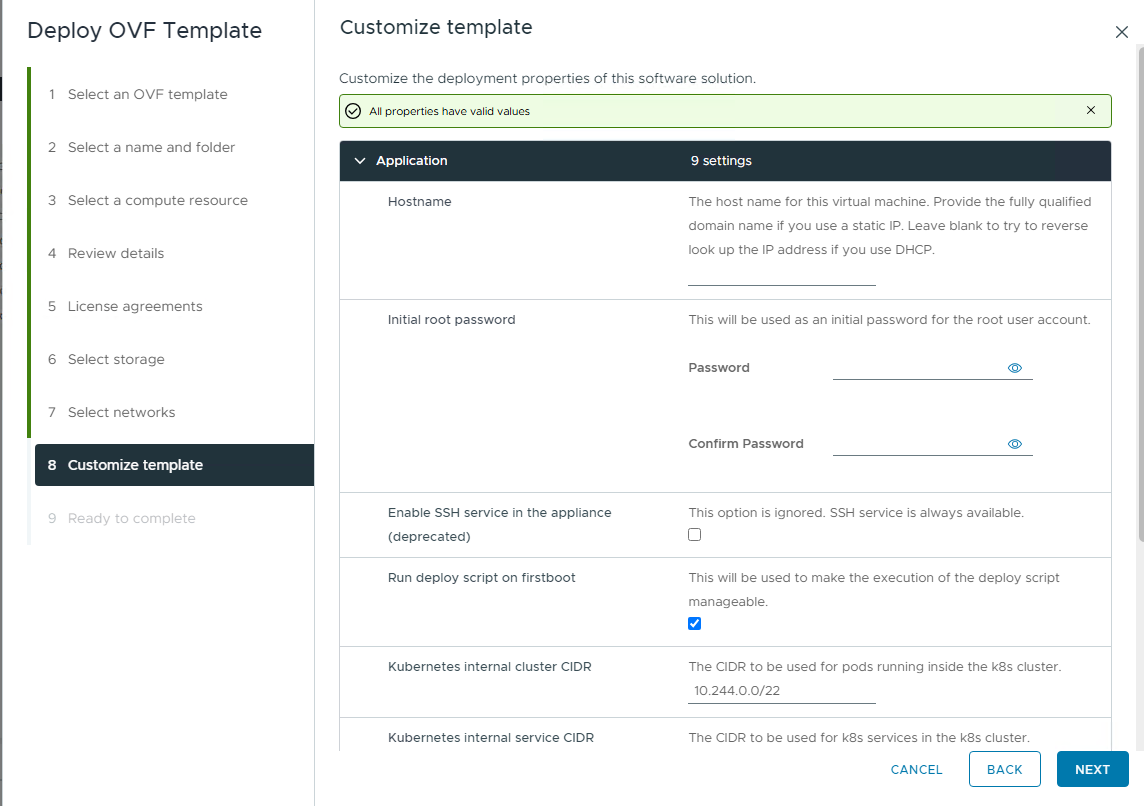
Once the standalone orchestrator is fully deployed and accessible over the browser, you wont be able to access with this new password. Why? because its the root credential and wont allow you to login to UI.
What to do then?
Take a Putty session to the orchestrator and run this command.
vracli vro authentication wizardSelect the authentication type – here we are selecting Aria Automation, hence type 1 and enter ↩ and then provide the FQDN, credentials and accept the certificate.
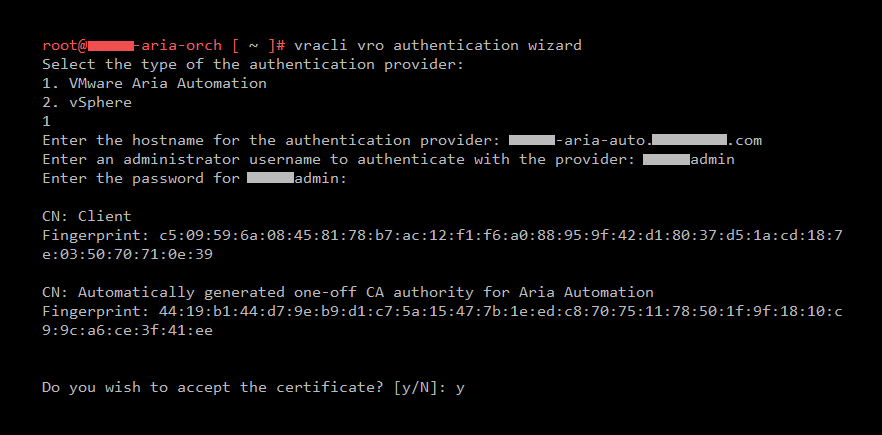
Wait for few seconds. Once completed, run this command to check if the authentication is set successfully.
vracli vro authenticationYou should see a JSON with all your provided information and should not say No authentication provider configured. anymore.
Restart services
Run this command to restart.
kubectl rollout restart deployment vco-app -n preludeand monitor the vco-app pod status.
kubectl get pods -n prelude -wOnce it’s done, open https://fdqn-vro/vco/ and you should see this screen instead of a dialog box.

Learn more about the process here.
Discover more from Cloud Blogger
Subscribe to get the latest posts sent to your email.








