“The observations and recommendations in this document are based solely on my personal lab testing and experience. They do not reflect the views of Broadcom, or my employer. This is not an official VMware/Broadcom guide, nor does it critique the efforts of any product teams.”
Since its launch in 2018, the idea of coding vRA/vRO content directly from Visual Studio Code in an integrated way fascinated me. That seamless development experience was something I always wanted, which is why I kept trying to set it up since 2021. Despite following every official and community guide, I hit roadblocks every time—until last week. Thanks to a well-written article (Configure Your Windows Workstation for Aria Build Tools), I finally got it working.
But my goal isn’t to scare anyone away—it’s to highlight that overcoming these challenges puts you in the elite tier of vRA/vRO wizards – almost like a proper DevOps Engineer ♾️. If you push through the initial hurdles, the payoff is worth it. Let me first put my challenges and then we will talk about the good part. Find all the relevant links in the References section.
Challenges as a Beginner
- Complex Installation & Setup
- Even with step-by-step guides, installation can be tricky due to supporting tools version dependencies and the framework’s dynamic nature.
Many dependencies upfront. You have to get that right anyhow.
- Fragile Build Process
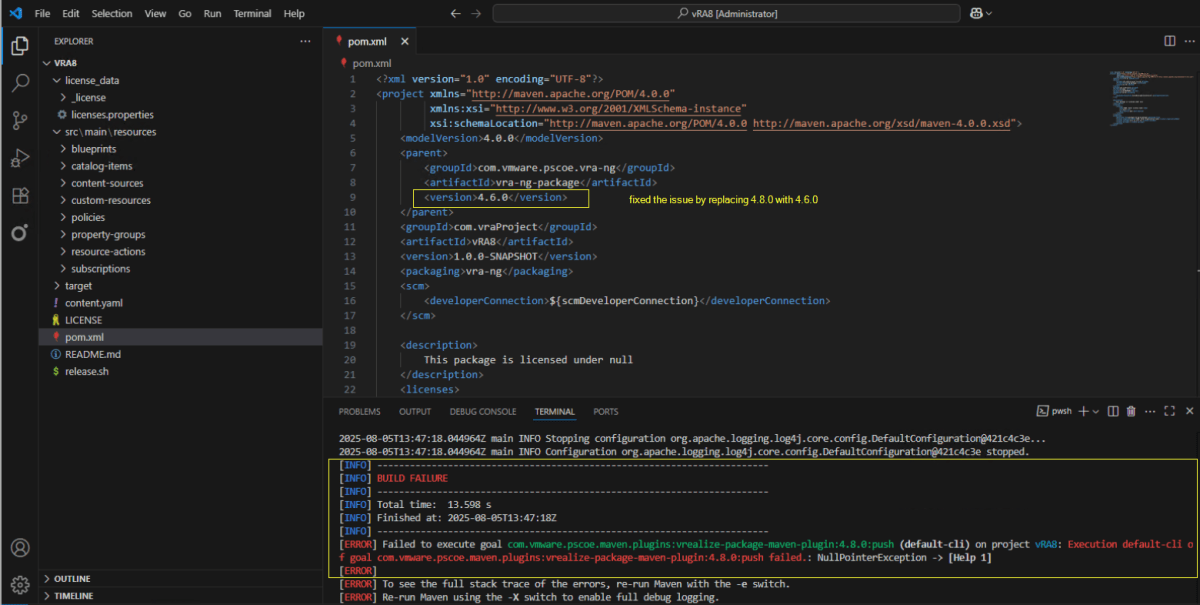
- The tool is highly sensitive—if even a single configuration is off, builds may fail silently without pushing changes to vRO or vRA.
After the setup is done, I tried pushing a simple add function to Orchestrator, my build failed. I was playing around and figured out that a slightly older version is working but not the current one.
- Steep Learning Curve
- Operating the framework is complex, especially in the first few months. Not recommended for immediate production use without thorough testing.
You would have to learn the different objects structure and most probably Typescript.
- Overwhelming Project Structure
- A simple vRO JavaScript project requires 50+ files just to push actions – Beginner’s perspective
- Code must follow strict patterns (e.g., IIFE format for Orchestrator actions).
You will get used to it pretty quickly. The extra files will be there but you will start focusing on things you need the most.
- Typescript Adds Another Layer of Complexity
- While powerful, TypeScript projects introduce additional complexity.
- Transpiled code can be confusing for vRO users without strong coding experience.
You always complained that vRO doesn’t support new JavaScript framework. This is your chance now.
- Workflows as Code? Not So Simple
- Creating vRO workflows or lets say, vRA Subscriptions or a Catalog item via JSON/text files is unintuitive and requires learning yet another format.
But isn’t that the beauty of it.
- Metadata Overload
- Multiple metadata layers exist (e.g., JSDoc for code, framework-specific metadata). Understanding their interaction takes time.
This is an overkill to be honest!
- Generated Code looks unfamiliar
As for TypeScript projects, the developed code gets transpiled into JavaScript which looks very different than usual JS code written inside vRO.
Becoming an IaC Elite

- OOB Reference Examples
- Avoid reinventing the wheel for each project type or object design, making initial adoption smoother with ready-to-use templates.
I find these many projects. Personally, vRO TS-based and vRA 8.x was an eye-opener for me. There is scope for so much.

- Everything as Code
- Manage all components—including subscriptions, workflows, etc as code, unlike traditional UI-based approaches. Learn how to create a configuration element here.

- Polyglot Support
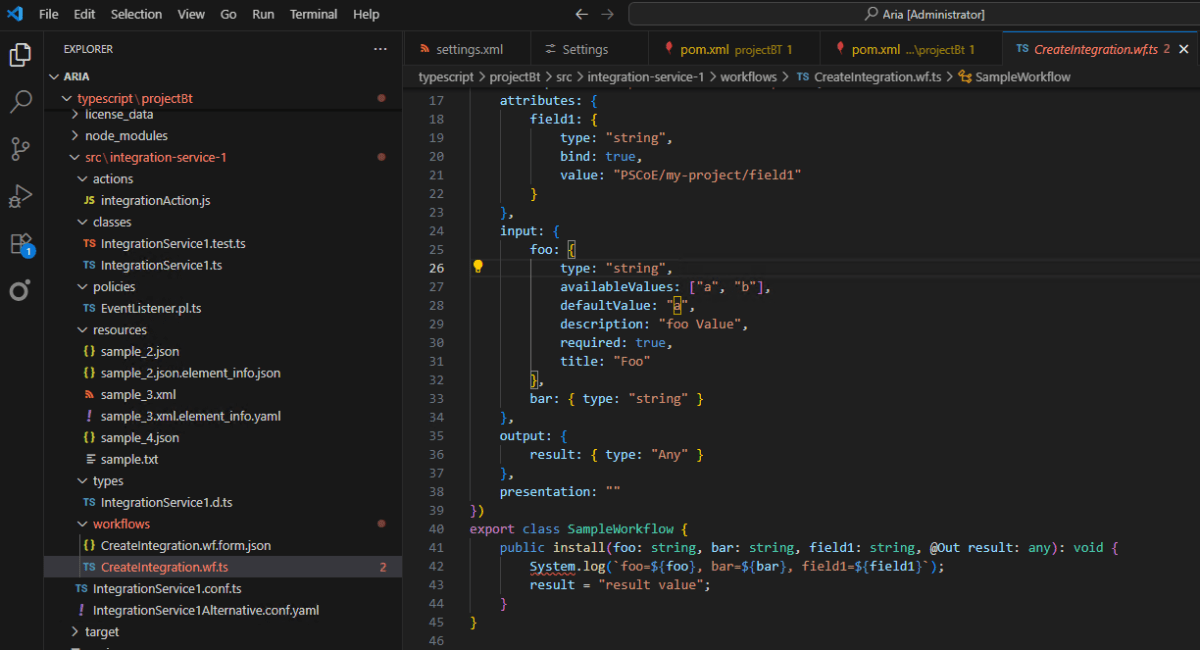
- Compatible with all ABX and vRO polyglot runtimes, offering flexibility across different scripting languages.
Still figuring this one out…
- Automate Repetitive Tasks
- Reuse the same code to deploy and configure multiple vRA/vRO environments, eliminating manual effort.
I tried that and it worked absolutely fine.
- Full Change Tracking
- Ensure no modification goes unnoticed with comprehensive version control.
- Frequent Updates
- The active development team delivers monthly enhancements— last week version 4.8.0 was released which includes VCF 9 object support.
- Modern Development Experience
- Leverage contemporary tools like TypeScript for a streamlined coding workflow.
I have started learning TypeScript and would love to explore it more.
Final Verdict (For Now)
While Build Tools bring automation and CI/CD benefits, they introduce significant complexity, making them a tough sell for teams without strong DevOps or coding expertise. But that’s the whole idea – making the team shift to DevOps paradigm.
I will definitely be exploring more and will publish more articles along the way. Keep subscribed to it.
Live Demo (from 2019)
References
- https://github.com/vmware/build-tools-for-vmware-aria
- https://vkasaert.com/2025/05/27/configure-your-windows-workstation-for-aria-build-tools/#Install-Visual-Studio-Code
- https://adrian.heissler.at/2024/02/setup-build-tools-for-vmware-aria/
- https://clouddepth.com/how-to-set-up-the-workstation-for-build-tools-for-vmware-aria-part-2/
- Examples: https://github.com/unbreakabl3/vmware_aria_orchestrator_examples
- Commands: https://blogs.thecloudstop.co.uk/?p=1073
- https://www.brianmacinnes.com/configure-vrbt-for-vrealize-vra-vro-8-x/
Discover more from Cloud Blogger
Subscribe to get the latest posts sent to your email.