

Issue is that you can’t see anything you put inside System.debug();

Turn on this setting quickly and you are good to go.
- Go to System Settings -> Log Configuration
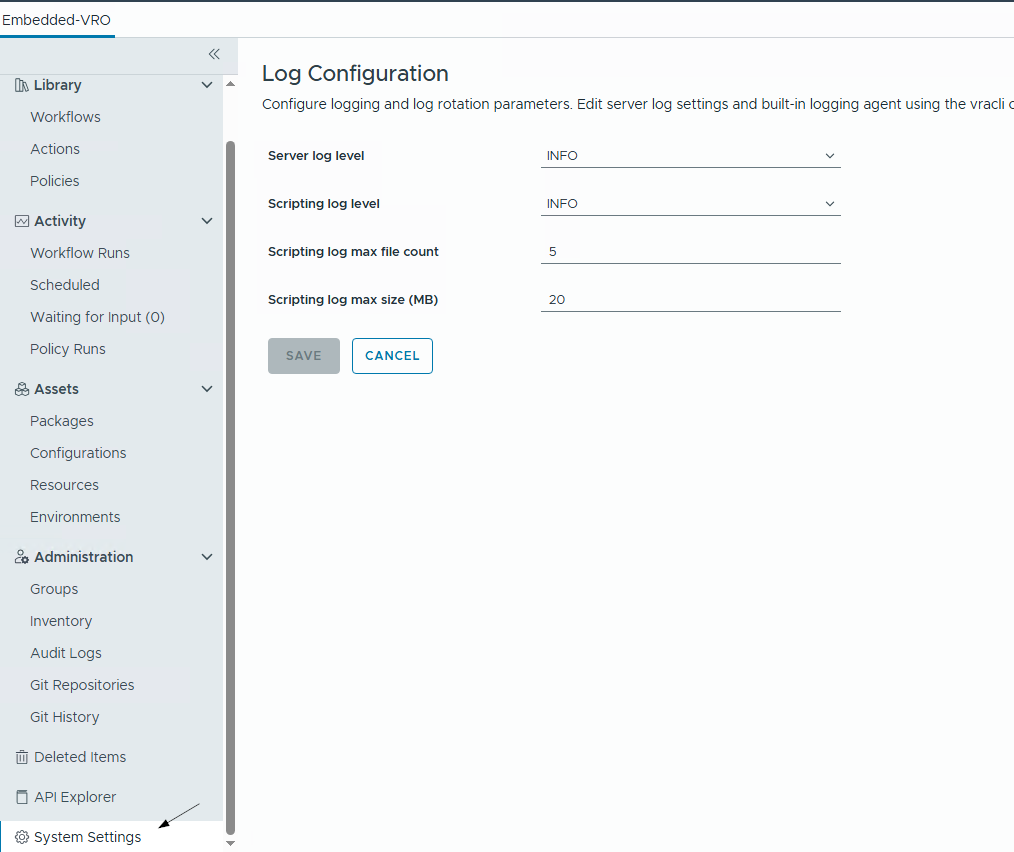
- Change the Server log level and Scripting log level to
ALL&DEBUGrespectively.

Click SAVE and refresh your Orchestrator tab. You should now see the debug logs as well as item stack.

JavaScript
System.log("I am inside System.log() method.");
System.debug("I am inside System.debug() method.");
System.warn("I am inside System.warn() method.");
System.error("I am inside System.error() method.");Discover more from Cloud Blogger
Subscribe to get the latest posts sent to your email.















[…] that, follow this article to enable the visibility of debug logs in VCF […]