

Prerequisite Enable local process execution in your Orchestrator using this link.
Take SSH session to your Aria Automation appliance in case of a embedded Orchestrator or take a direct session to your Standalone Orchestrator Appliance. I use MobaXterm for SSH & RDP sessions. Tested on version 8.18.1.

Go to location /data/vco/usr/lib/vco
cd /data/vco/usr/lib/vco
Make a directory there (Could be anything. I used my name “mayank” to help me recall). Inside that directory, create a new file updatedClassed.conf (again, could be anything.conf) and add java.* & org.* to give full access. You can add precisely what you want like java.net.* etc to limit overexposure etc.
root@vra [ /data/vco/usr/lib/vco ]# mkdir mayank
root@vra [ /data/vco/usr/lib/vco ]# cd mayank
root@vra [ /data/vco/usr/lib/vco/mayank ]# touch updatedClasses.conf
root@vra [ /data/vco/usr/lib/vco/mayank ]# nano updatedClasses.conf
root@vra [ /data/vco/usr/lib/vco/mayank ]# cat updatedClasses.conf
java.*
org.*Once you do that, update the com.vmware.scripting.rhino-class-shutter-file vRO property.
vracli vro properties set -k com.vmware.scripting.rhino-class-shutter-file -v /usr/lib/vco/mayank/updatedClasses.confRestart the vco-app service.
kubectl rollout restart deployment vco-app -n preludeMonitor the vco-app pods to be back in RUNNING state.
kubectl get pods -n prelude -wOnce, the services are up.

Test this implementation by running this code to get the Rhino Engine version and vRO JavaScript language version. Code provided by Stefan Schnell.
// Rhino Version Detection Script
var context = new org.mozilla.javascript.Context();
var currentContext = context.getCurrentContext();
var rhinoVersion = currentContext.getImplementationVersion();
var languageVersion = currentContext.getLanguageVersion();

System.log("Rhino Version: " + rhinoVersion);
System.log("JavaScript Language Version: " + languageVersion);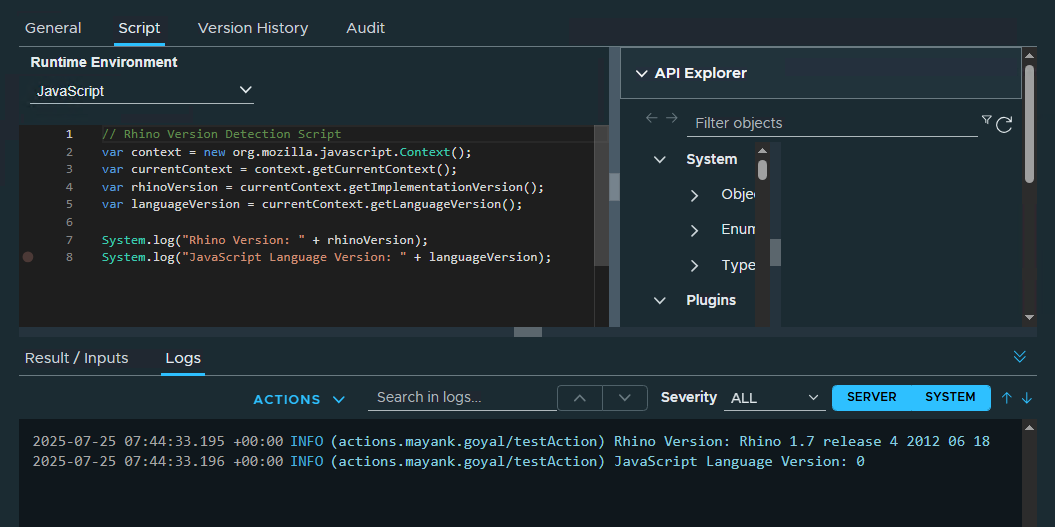
VCF Automation 9
The situation in VCF Automation 9 is quite different.
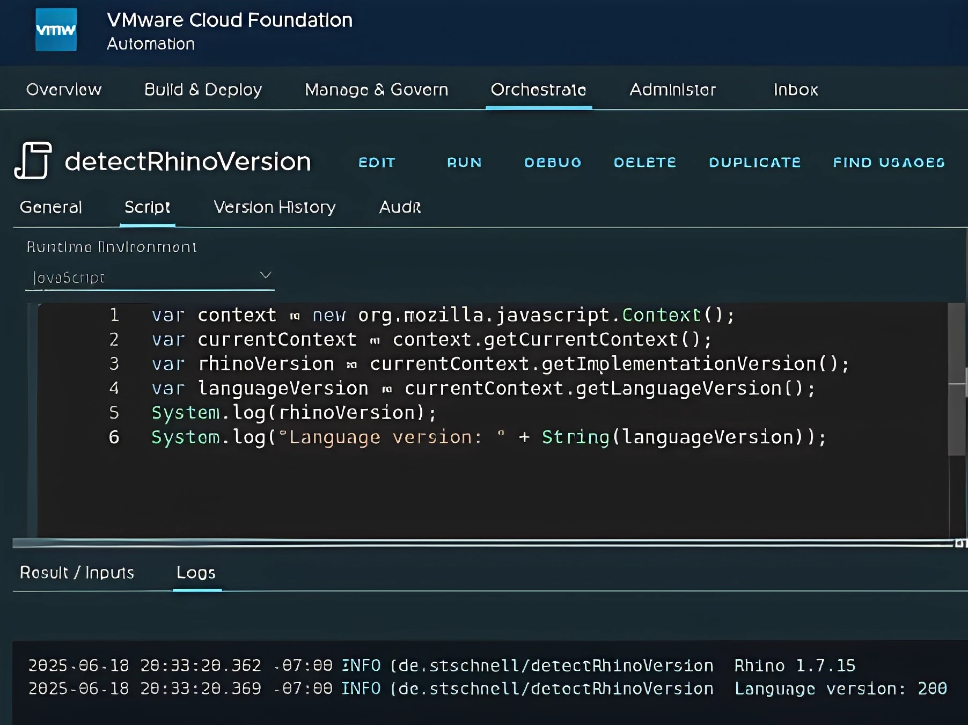
Notice the version jump. In VCF 9, Orchestrator uses Rhino Engine 1.7.15 which supports 46% ECMAScript 2015 where as older 1.7R4 only supported 7%. There is going to be huge improvements in overall features and efficiency. We know that arrow functions are now working but no let support yet. Will update as I discover more details.
Discover more from Cloud Blogger
Subscribe to get the latest posts sent to your email.













What we really need is full es6 support! 😊
Deno framework is in talks. Not sure if and when.