The Requirement
We were deploying VCF Automation in a customer’s air-gapped environment. The customer specifically wanted the All Apps Org experience, which meant Kubernetes cluster provisioning needed to work through VCF Automation.
For that, the Kubernetes Service Content Library had to be configured successfully so Kubernetes release images could be downloaded and consumed by Supervisor.
Without this, VCF Automation cannot provision Kubernetes clusters.
At this point, we had three ways to achieve it:
- We setup the proxy provided by the customer in vSphere itself
- We download all the images listed here https://wp-content.broadcom.com/v2/latest/lib.json
- We white-list the vCenter to allow internet connectivity
Customer insisted to use the proxy itself – so went for it. We faced a blocker. We setup the HTTP proxy in vCenter VAMI but it didn’t work. Turned out that the same proxy details needs to filled in both HTTPS and HTTP field as shown below.
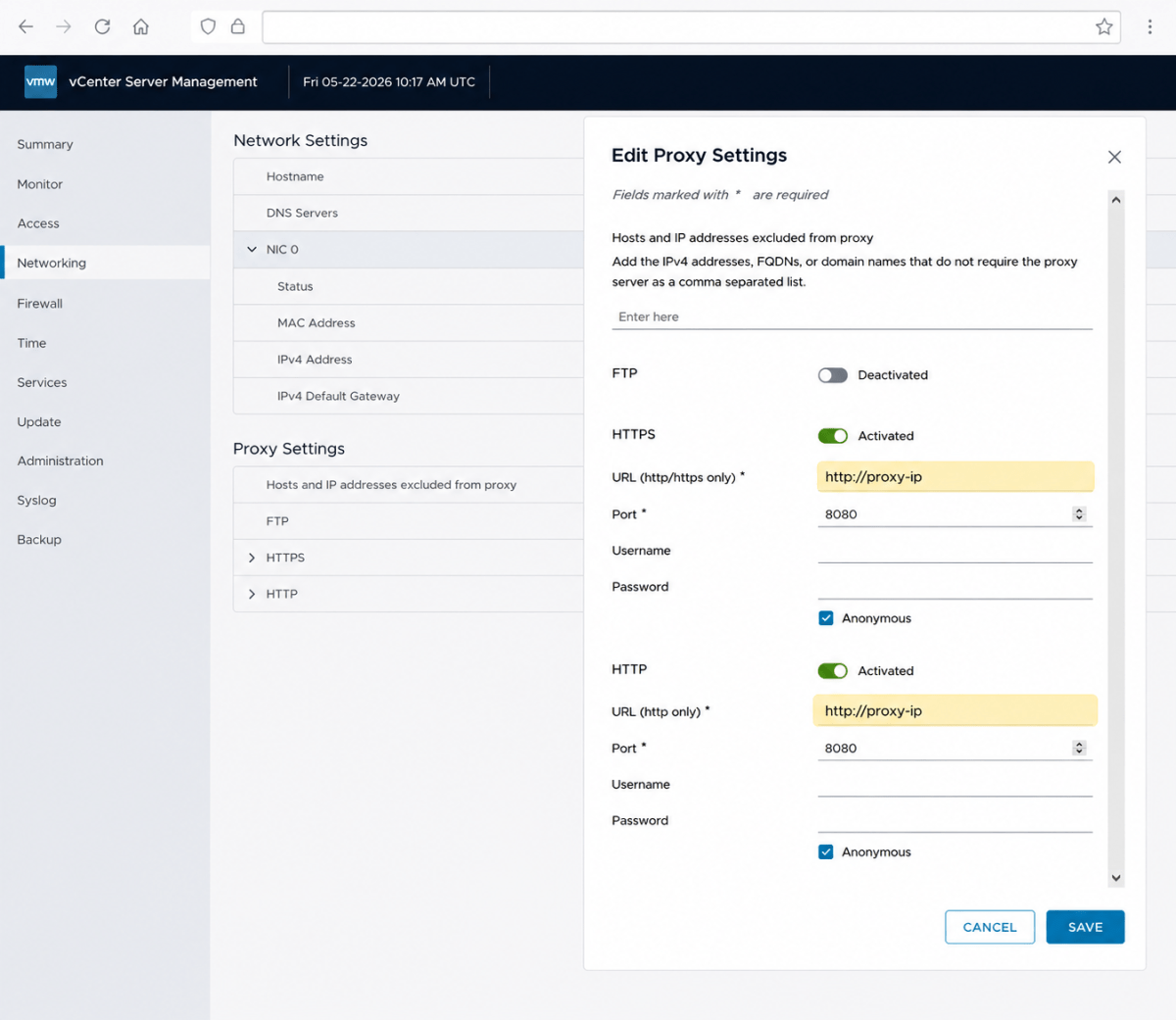
We then run this command in vCenter shell and it worked.
curl -v https://dl.broadcom.com:443With connectivity confirmed, we proceeded to configure the Kubernetes Service Content Library. The content library successfully began downloading required Kubernetes images. At that point, everything looked healthy.
Problem solved? Not even close.
When we returned to VCF Automation, something looked wrong. Inside the All Apps Organization, the Services section was empty. No consumable services. No Kubernetes capabilities. Nothing. Even worse, the Overview page showed: This namespace is not active.
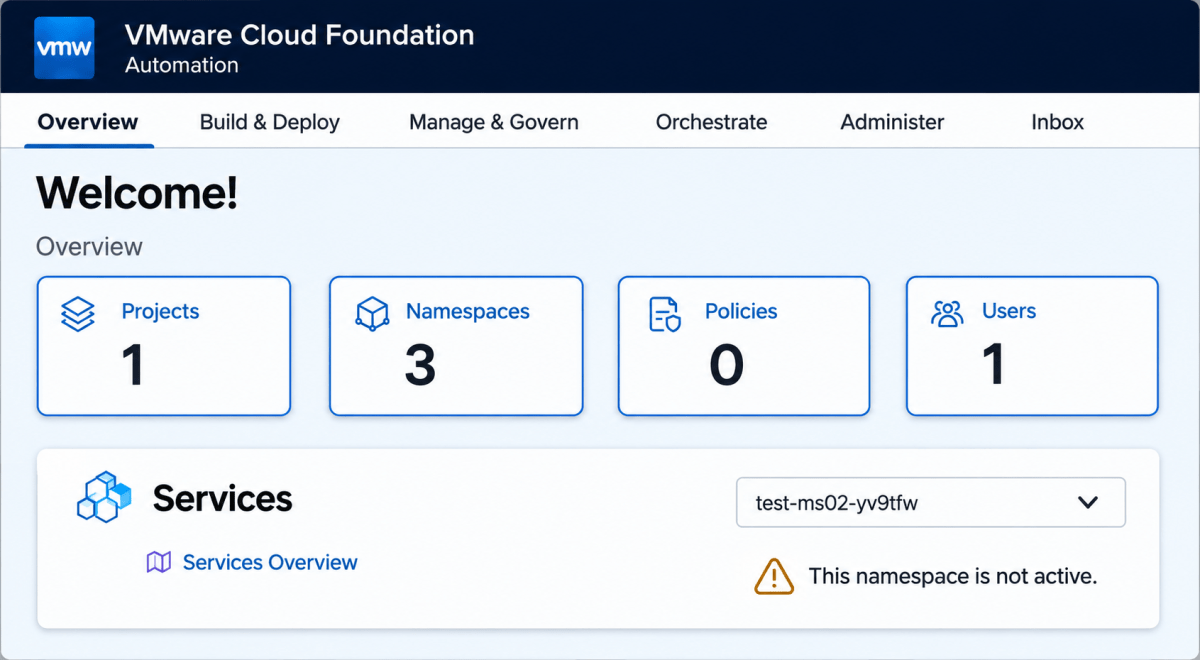
That was the real blocker.
The Solution
We spent quite some hours there, trying to create new namespaces, new orgs, even followed some of the KB articles that says to delete the supervisor certificate and refresh the vCenter connection in VCF Automation Provider portal. Tried everything we could and still puzzled.
Finally, we shifted our focus on the only change we made which is configuring the proxy. And that was it. we disabled the proxy and namespace is up and there is no warning and errors in VCF Automation.
However, by disabling it, we were then blocking the vSphere connectivity to the internet. Solution – add the customer domain which hosts all the management appliance to no proxy (excluded) settings.
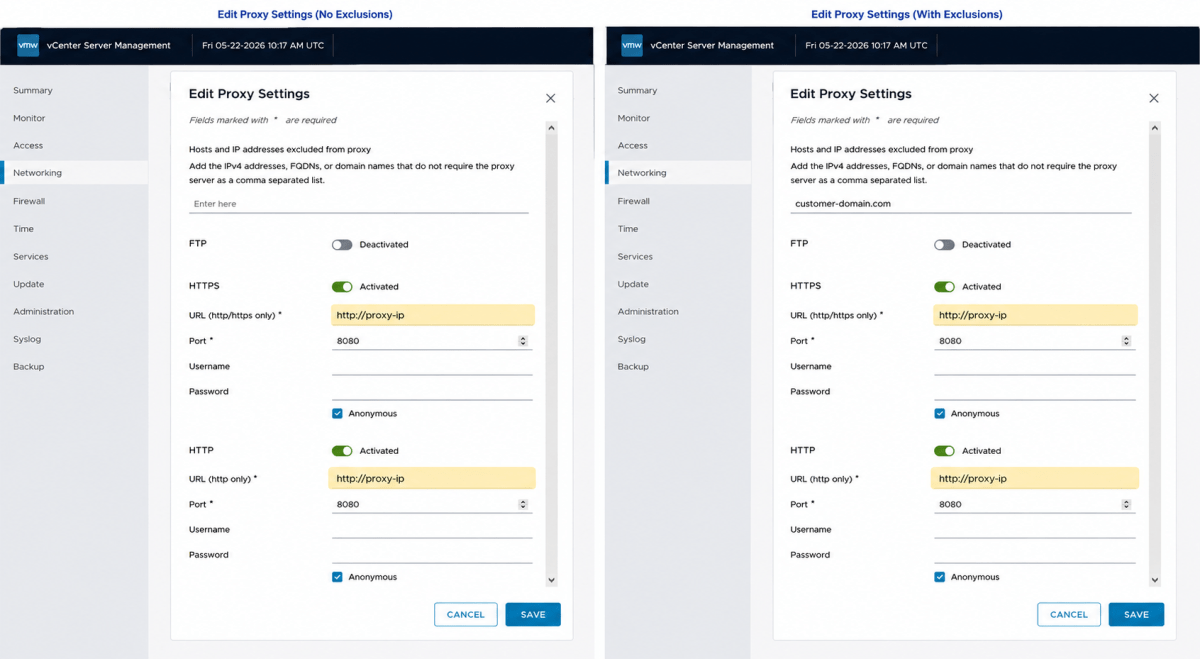
Conclusion
If you are enabling VCF Automation All Apps with VKS in customer environments using outbound proxy access, remember:
- Configure both HTTP and HTTPS proxy settings
- Validate connectivity using:
curl -v https://dl.broadcom.com:443 - If namespaces suddenly become inactive after proxy changes, suspect proxy routing immediately
- Always configure No Proxy exclusions for internal domains
- Don’t assume successful internet connectivity means the platform is healthy
One Additional Thing
Make sure there is always a connectivity from VCF Automation to Supervisor in question which can be tested by a successful ping test as shown below. Here 10.30.40.11 is the Supervisor VIP as an example.
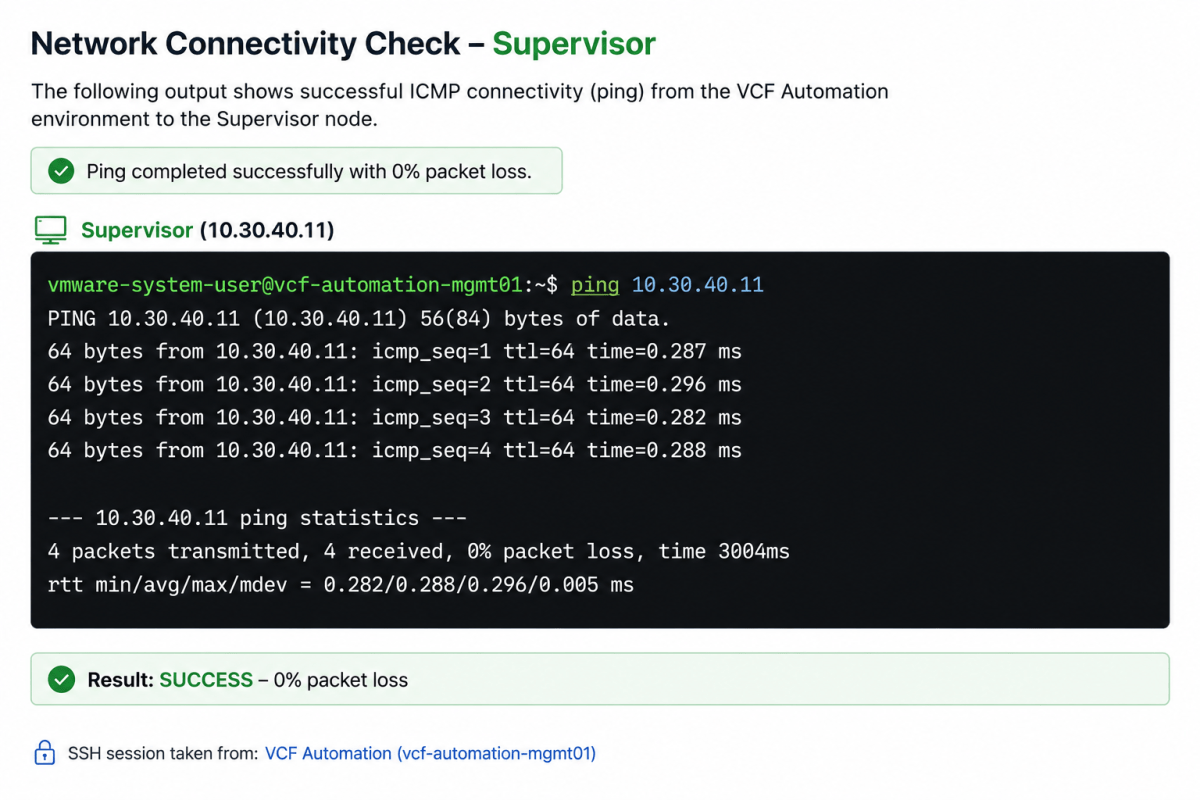
Discover more from Cloud Blogger
Subscribe to get the latest posts sent to your email.