
In this article
It’s been almost an year since VCF 9 released and since then I am hunting on getting lists of blueprints from an org (both from All Apps and VM Apps since both uses identical APIs, link) using API but it has been a struggle. But finally, asking on several forums and getting some help from internal resources from Broadcom as well as this blog from Christian Ferber, I finally was able to get exactly what I needed. There has been several variations in this process and not one single source of information was sufficient for me to get my job done. Seems like everyone is doing things in their own way – which is fine until it doesn’t really work out for me.
In this post, I will explain the complete process that worked for me and hope it applies to you and makes life a bit easier.
Let’s dive into the process itself.
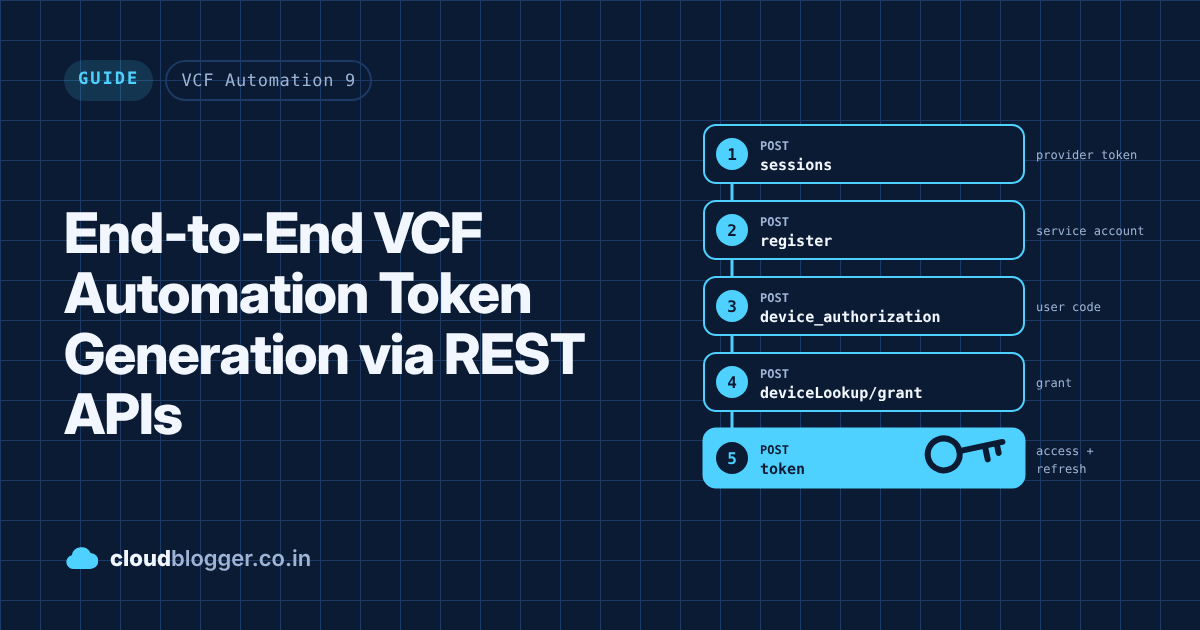
This process used to be a lot simpler in Aria Automation 8.x mainly because there was no concept of Tenant Manager & Service Accounts there. Here in VCF Automation 9, the process initiates with generating a Provider token from the Provider Portal or Tenant Manager itself to log in to the organization. Post that, there are 4 step sequence on how to create a service account and grant and activate it to make it usable. Later, that service account is used to generate a access token and refresh token. This access token is what Bearer token is for all the IaaS or lets say the core Automation APIs.
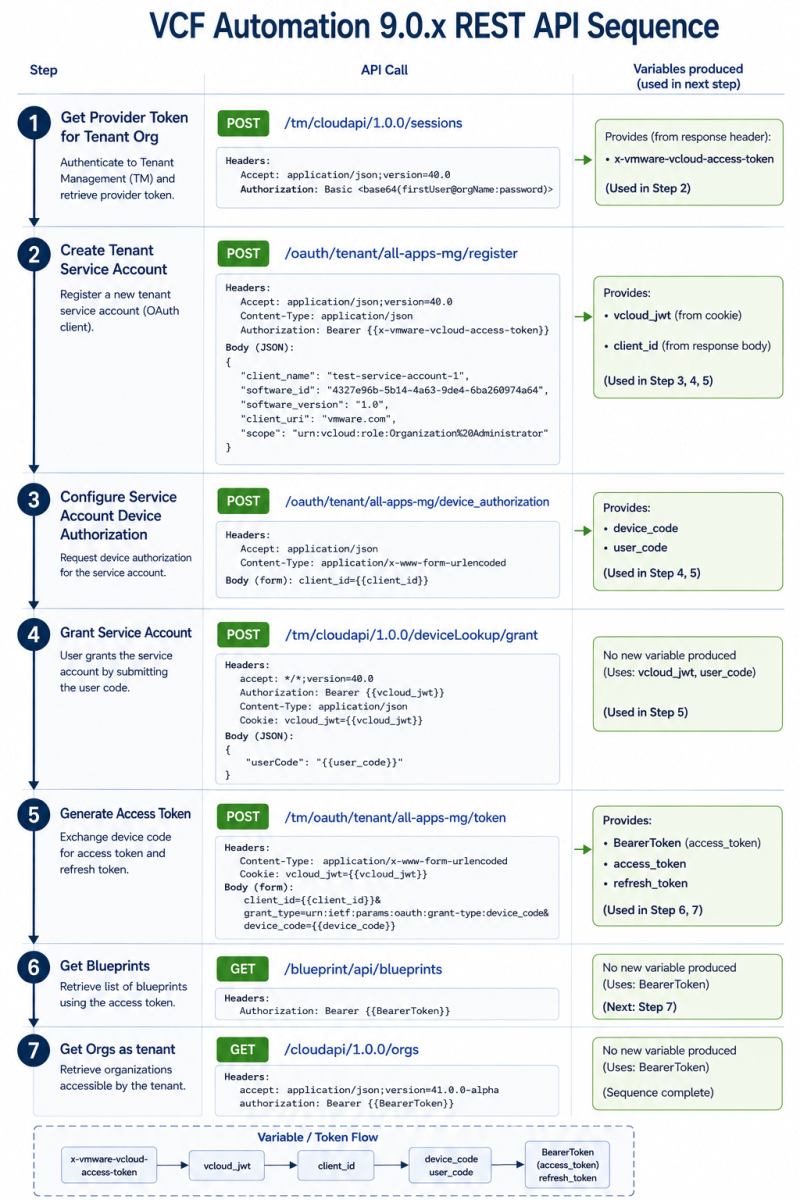
Postman Collection
I have created a Postman collection that can be imported and all the requests will be available to test.
Available at GitHub here.
Steps to configure
Once the collection is imported, change these 4 variables in the collection according to your environment:
- tm: Put the VCF Automation FQDN (eg.
auto.vcf.lab) - orgName: Put the Organization name eg.
all-apps-orgthat you want to tinker around with (preferably a test org initially to understand the process) - userName@orgName: Put the first user like
adminwith the same organization name in formatadmin@all-apps-orgas an example. - password: Put the password for above account.
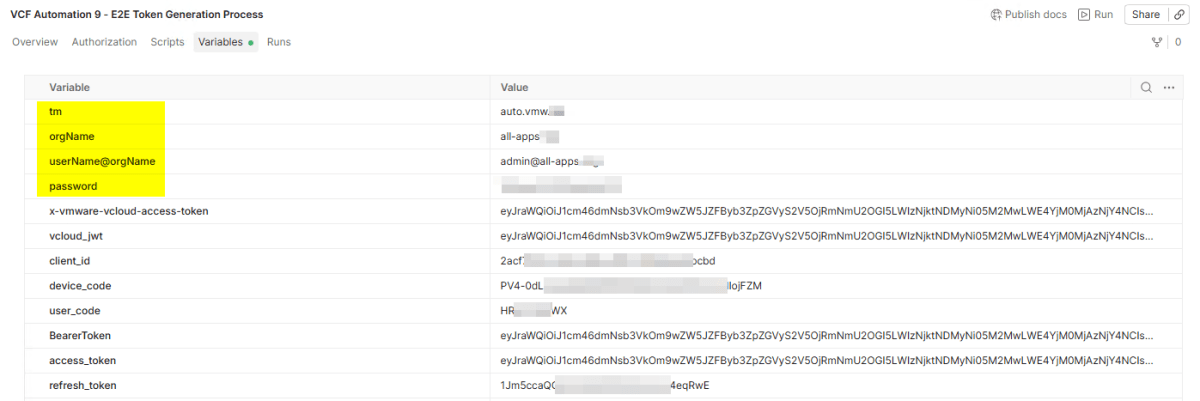
Rest of these variables will be auto-populated as you trigger requests starting from #1 to #7 in the collection.
Demo
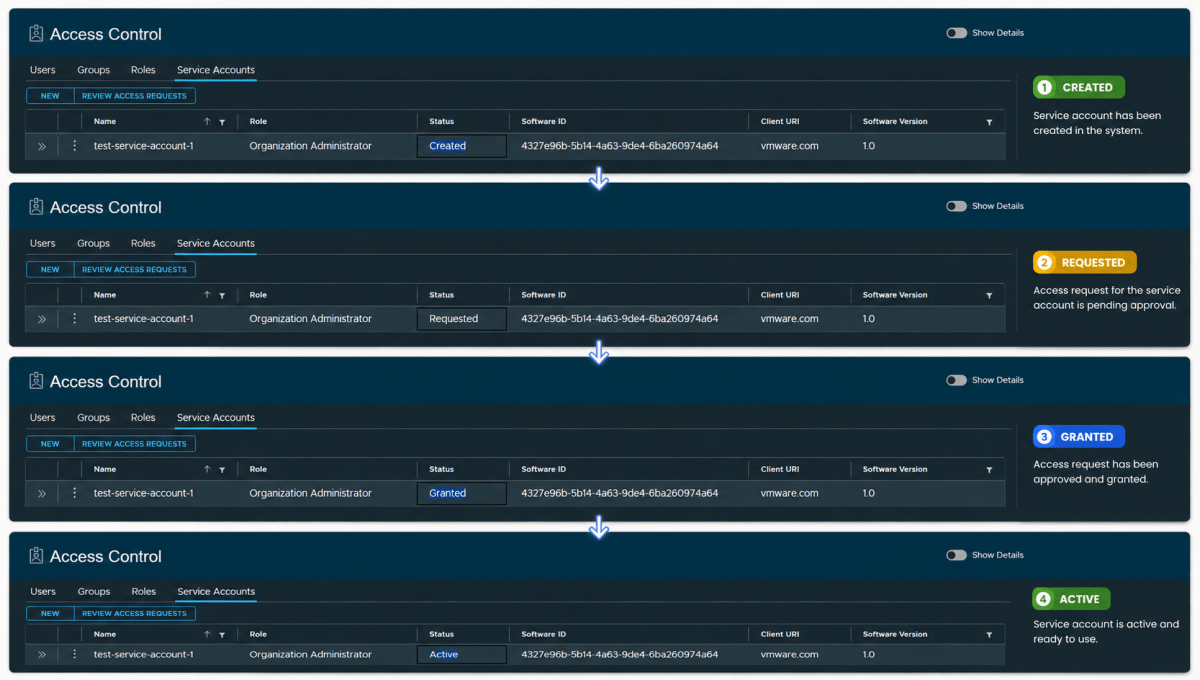
This video recording is from Postman on how each REAT API call looks and how it affects the VCF Automation UI.
Look how the Service Account status changes.
References
- Authenticate to VCF Automation 9 via API without having to rely on the API token – Lucho’s Blog!
- https://techdocs.broadcom.com/us/en/vmware-cis/vcf/vcf-9-0-and-later/9-0/infrastructure-operations/extending-monitoring-capabilities/installing-and-configuring-management-packs-in-vcf-operations-from-vmware-marketplace/list-of-integrations/about-this-book-vro-mp/create-a-service-account-refresh-token.html
- https://techdocs.broadcom.com/us/en/vmware-cis/other/vmware-salt/8-18/getting-a-refresh-token-for-the-vm-apps-tenant.html
- https://vrealize.it/2025/12/04/vcf-automation-9-programmatic-token-generation/
Discover more from Cloud Blogger
Subscribe to get the latest posts sent to your email.
Enjoyed this post?
Was this helpful?
One response to “End-to-End VCF Automation Token Generation via REST APIs”
-
[…] you read my earlier post on end-to-end VCF Automation token generation via REST APIs, this will look familiar. Setup runs that same flow for you, in five […]









Leave a Reply