
In this article
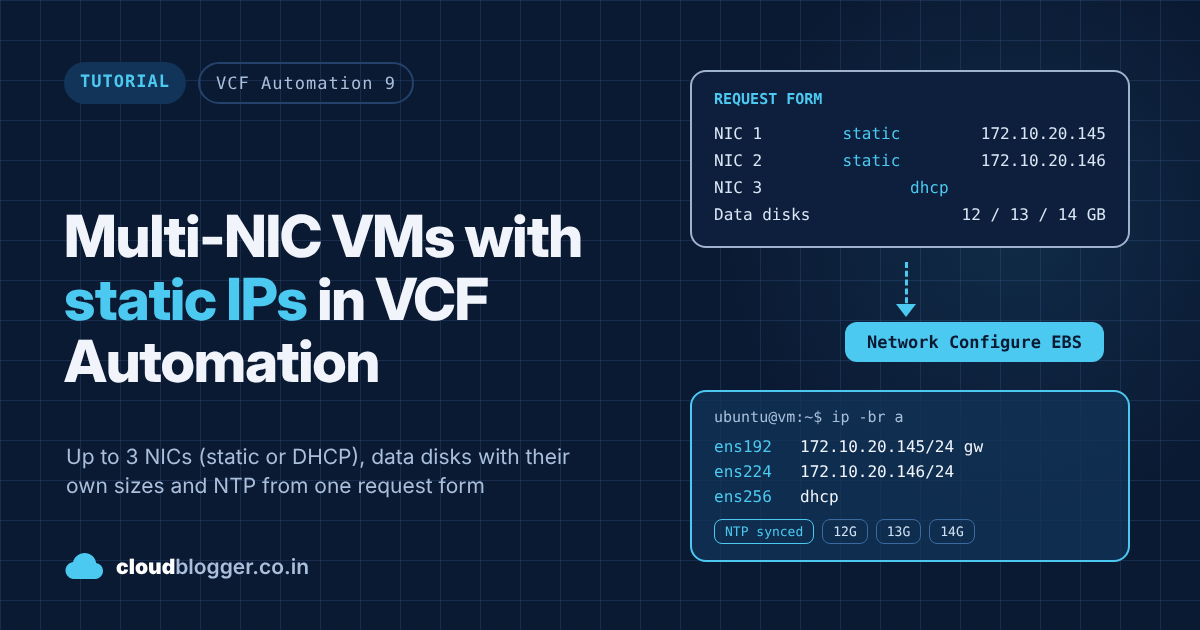
A basic VCF Automation cloud template has one machine and one network resource. Every VM it builds gets exactly one NIC, and whether that NIC gets DHCP or a static IP is decided by the network profile behind it, not by the person making the request. A recent request asked for much more control: up to three NICs per VM, each one static or DHCP as the requester chooses, any number of data disks with their own sizes, NTP servers, and a login user, all from one request form.
None of that is exotic, but getting it all to work together took a few tries and turned up some gotchas worth sharing. In this post I’ll walk through the template inputs, the Network Configure subscription and its vRO workflow, cloud-init for NTP, and the VM template problem that cost me the most time. Everything is downloadable at the end, including a vRO package and a VCFA Ledger package.
Tested on: VCF Automation 9.1 (VM Apps organization) with its built-in VCF Operations Orchestrator 9.1.1 (build 25643527), vCenter cloud account, and an Ubuntu 24.04.5 LTS template (cloud-init 26.1, open-vm-tools 13.0.10).
What the template does
| Feature | How it works |
|---|---|
| Up to 3 NICs, all optional | Three Cloud.vSphere.Network resources, each with count 0 or 1 |
| Static or DHCP per NIC | Custom properties on the machine, read by a Network Configure subscription that returns per-NIC IP settings |
| Any number of data disks, each its own size | One Cloud.vSphere.Disk with count and allocatePerInstance: true |
| NTP servers | cloud-init runcmd script (chrony or systemd-timesyncd) |
| Login user | cloud-init runcmd script, from two optional form fields |
Every field on the form is optional apart from Project and Deployment Name, which VCF Automation needs to submit a request at all.
How the pieces fit together
- The requester fills in the custom form: per NIC a network, DHCP yes or no and, for a static NIC, the IP address and netmask. Plus the data disk sizes, NTP servers and a login.
- The cloud template turns the inputs into resources (networks, disks, machine) and copies the NIC settings into custom properties like
cpNic1IpAddress. - During allocation, VCF Automation fires the Network Configure event. A blocking subscription runs the vRO workflow, which returns per-NIC addresses, CIDRs, gateways and DNS.
- VCF Automation applies those settings through guest customization when it clones the VM.
- On first boot, cloud-init runs the
cloudConfigfrom the template and sets NTP and the login user.
Step 4 depends on the VM template being clean, so let’s start there.

Subscribe to continue reading
Subscribe to get access to the rest of this post and other subscriber-only content.
Enjoyed this post?
Was this helpful?









One response to “Multi-NIC VMs with static IPs in VCF Automation”