
In this article
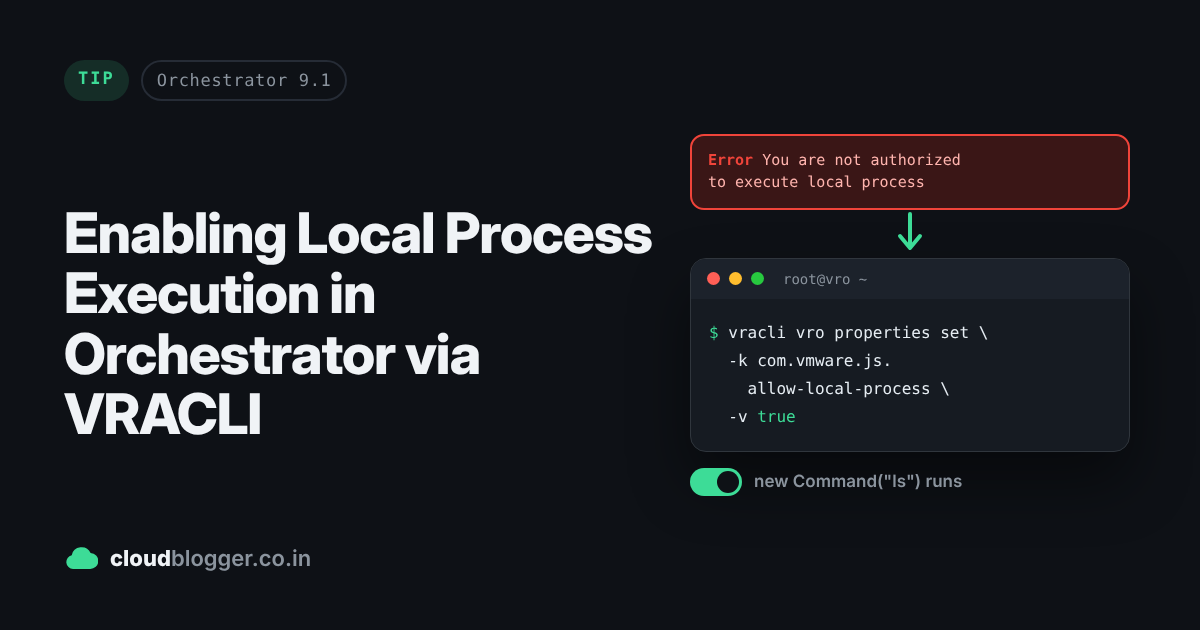
To enable com.vmware.js.allow-local-process=true in VMware Aria Automation Orchestrator (formerly vRealize Orchestrator), the vracli command-line tool provides a streamlined method to configure system properties without manual file edits. This setting is essential for allowing workflows to execute Commands directly on the Orchestrator appliance otherwise Command class will fail with an exception.
You are not authorized to execute local process, to enable this feature set your system property ‘com.vmware.js.allow-local-process’ to true.
var com = new Command("ls");
com.execute(true); // blocking execution else output would be null
System.log(com.output); // prints output of ls command
System.log(com.result); // prints status 0
Step-by-Step Guide
- Access the Orchestrator Appliance via SSH
Connect to the Orchestrator appliance using SSH with root or administrative credentials.
- Set the System Property via
vracli
Execute the following command to enable local process execution.
vracli vro properties set -k com.vmware.js.allow-local-process -v true- Restart the Orchestrator Service
Apply the changes by restarting the Orchestrator service.
kubectl rollout restart deployment vco-app -n prelude- Monitor the vco-app pods to be in RUNNING state again
kubectl get pods -n prelude -wNAME READY STATUS RESTARTS AGE
vco-app-5cc54847d5-bnzl9 2/2 Running 0 7m8sDiscover more from Cloud Blogger
Subscribe to get the latest posts sent to your email.
Enjoyed this post?
Was this helpful?
4 responses to “Enabling Local Process Execution in Orchestrator via VRACLI”
-
[…] Prerequisite: Enable local process execution. […]
-
[…] Prerequisite Enable local process execution in your Orchestrator using this link. […]
-
[…] Enable Basic Authentication in Orchestrator using SSH. This will restart the services in Orchestrator. Steps here […]
-
[…] T300 · Enabling Local Process Execution in Orchestrator via VRACLI […]

















Leave a Reply